
Technified Code for Windows
Your Studio place, mirrored live to your desktop, scripts and interfaces and all. Edit it in a proper editor, and it lands in Studio the moment you save.
Free while it is in beta · Windows 10 or 11 · Roblox Studio · macOS is next
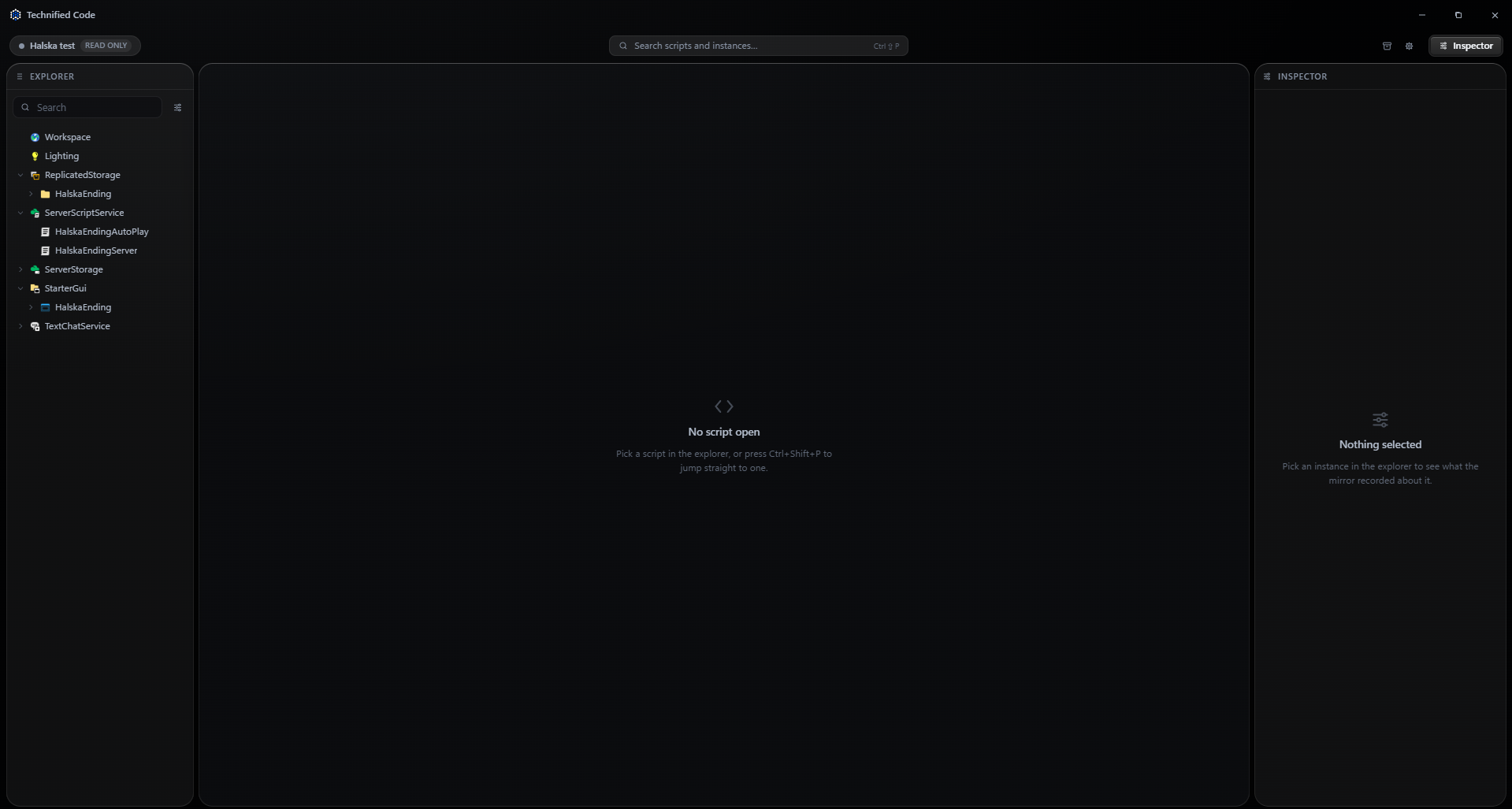
The place is mirrored into an ordinary folder and watched both ways. Make a file and the instance appears in Studio; delete it and it is gone. Rojo, darklua, wally, luau-lsp and any CI read it without knowing Technified Code exists.
- Main.server.luauScript
- Hud.client.luauLocalScript
- Combat.luauModuleScript
- init.meta.jsona Folder or a ScreenGui
- default.project.jsona real Rojo project
Kept in Documents/Technified/<place>, with a CLAUDE.md and AGENTS.md written on every sync.
Not a text box glued into Studio: a desktop editor, and the place you are building at the other end of it.
A live mirror of your place
Studio owns the structure, the disk owns the text the moment you touch it. Edits go straight back through ScriptEditorService, and Ctrl Z in Studio undoes them like any other change.
A real Luau editor
Bracket pairing, a symbol outline, fuzzy quick open, completion and types on hover, and StyLua on format when it is installed. Return can close the block you just opened.
A canvas for your interface
Open a ScreenGui and lay it out: pan, zoom, drag a frame where it belongs, resize it by its grips, hold Ctrl to line it up. Every move is a real property, written into Studio as you make it.
Typed properties, and the tree
Controls that know a UDim2, a Color3 and an EnumItem, over a preview that lays out anchors, strokes, gradients and list and grid layouts the way Roblox does. Drag a row to reparent it.
Git, built in
The mirror is a plain repository. Per file diffs, stage exactly what is ticked, commit, push and pull. GitHub goes through gh, so the app never asks for or keeps a token.
Agents on the same mirror
Claude Code and Codex run in your project. A local MCP server hands them live Studio tools: read the tree, set properties, create instances, run Luau in the place.
Your places, with Studio closed
Every place you have mirrored, what each holds and when it last synced. Open one to read the whole tree and every script, with everything that would change it switched off.
Studio’s output, in the editor
Studio’s own print, warn and error stream under the editor, filterable, with a Luau command line that runs a chunk inside the running place.
They work in the mirror like in any Luau project, with a live line to Studio: read the tree, get and set properties, create, rename and delete instances, and run Luau in the running place. You decide how much they may do.
| How much they may do | Claude Code | Codex |
|---|---|---|
| Ask for everything | plan mode | read-only |
| Edit freely | accept edits | workspace-write |
| Full access | skip permissions | bypass sandbox |
The things you do a hundred times an hour, without reaching for the mouse.
- Quick openCtrl⇧P
- Studio outputCtrl`
- Push the script to StudioCtrlS
- Sync again from StudioCtrl⇧R
- Show it in StudioCtrl⇧J
- CompletionsCtrlSpace
- Format with StyLua⇧AltF
- Send to the agentCtrl↩
It updates itself once installed, so one download is all you need.
Free while it is in beta. Windows 10 or 11, and Roblox Studio.