
Building forms
Build applications to let people join your teams, and appeal forms to let punished members ask for a second chance.
Making a form
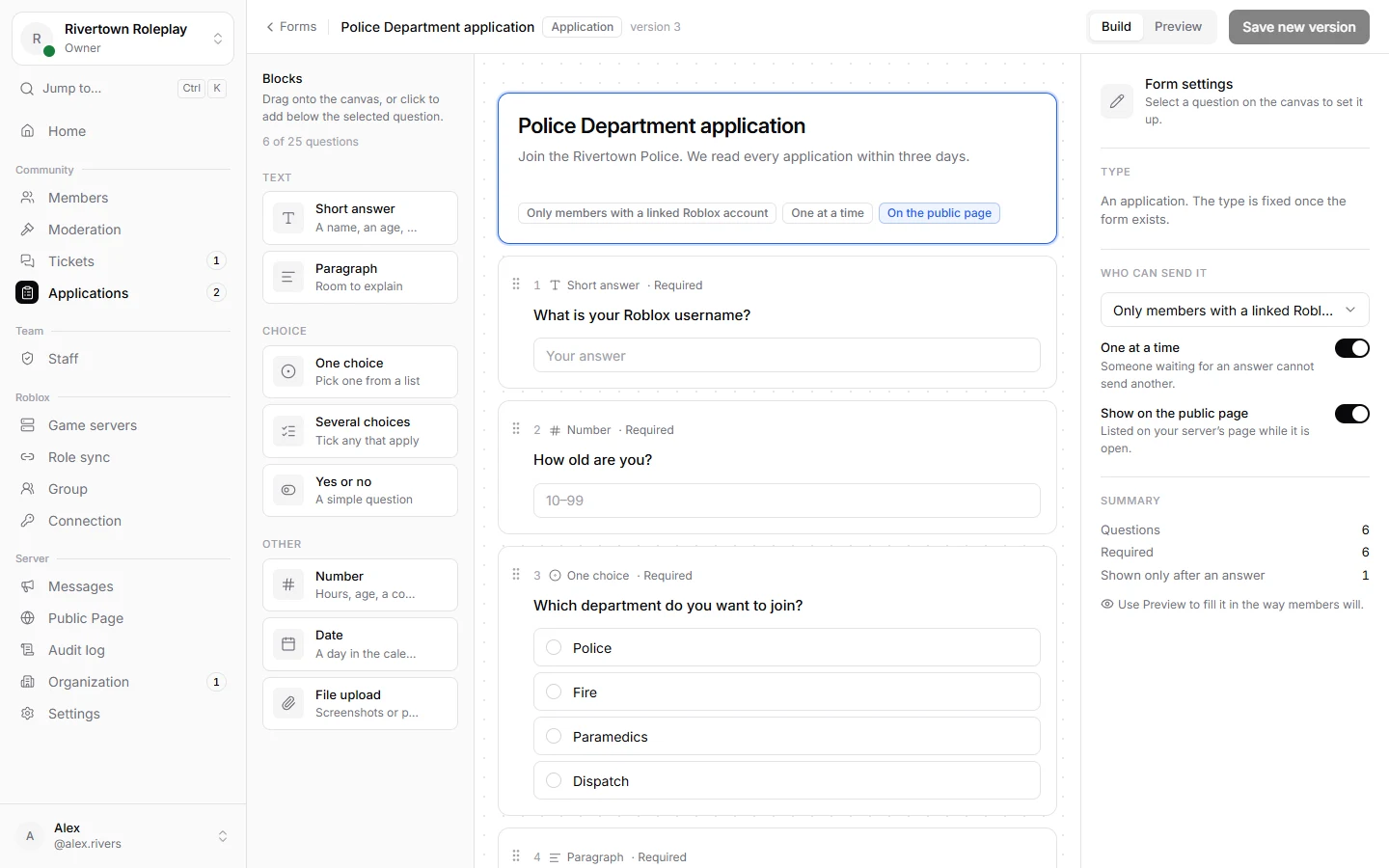
- Open Applications → Forms and press New application or New appeal.
- Give it a Form title and a short Form description.
- Drag questions in from the side, or press them to add them. Reorder them by dragging.
- Press Save new version, then open the form. Until it is open it is a draft that nobody can fill in. Use Preview to try it the way members will.
Kinds of questions
Short answer, Paragraph, One choice, Several choices, Yes or no, Number, Date and File upload. Every question can be Required, get Help text, and limits like the shortest answer or the highest number.
With Only show when, a question only appears after a certain answer to an earlier one. For example, ask “Where?” only to people who answered yes to “Have you been staff before?”.
Who can send it
- Anyone in the server.
- Only members with a linked Roblox account.
- Only people with a direct link, for forms you share yourself.
Show on the public page lists the form on your public page. With One at a time, somebody waiting for an answer cannot send another.
Appeal forms
An appeal form says what it Appeals against: bans, mutes, warnings or kicks. While it is open, everybody who gets that kind of punishment sees an Appeal button in the message from the bot.
Open, paused and archived
Open forms take submissions. Pause a form to stop new ones for a while, for example when you have enough applicants. Archived forms are kept with their submissions but cannot be filled in. Changing questions later never changes answers that were already sent.
Still stuck? Get help from the Technified team.