
Settings, usage and backups
Settings holds everything about how Technified behaves on your server, in a few tabs.
The tabs
| Tab | What is in it |
|---|---|
| General | Verification, moderation defaults like the usual ban and mute length, and log channels. |
| Welcome | Join roles and the greeting. See Welcoming new members. |
| Discord commands | Which commands are on and who may use them. See Discord commands. |
| Chat filters | AutoMod filters. See Chat filters. |
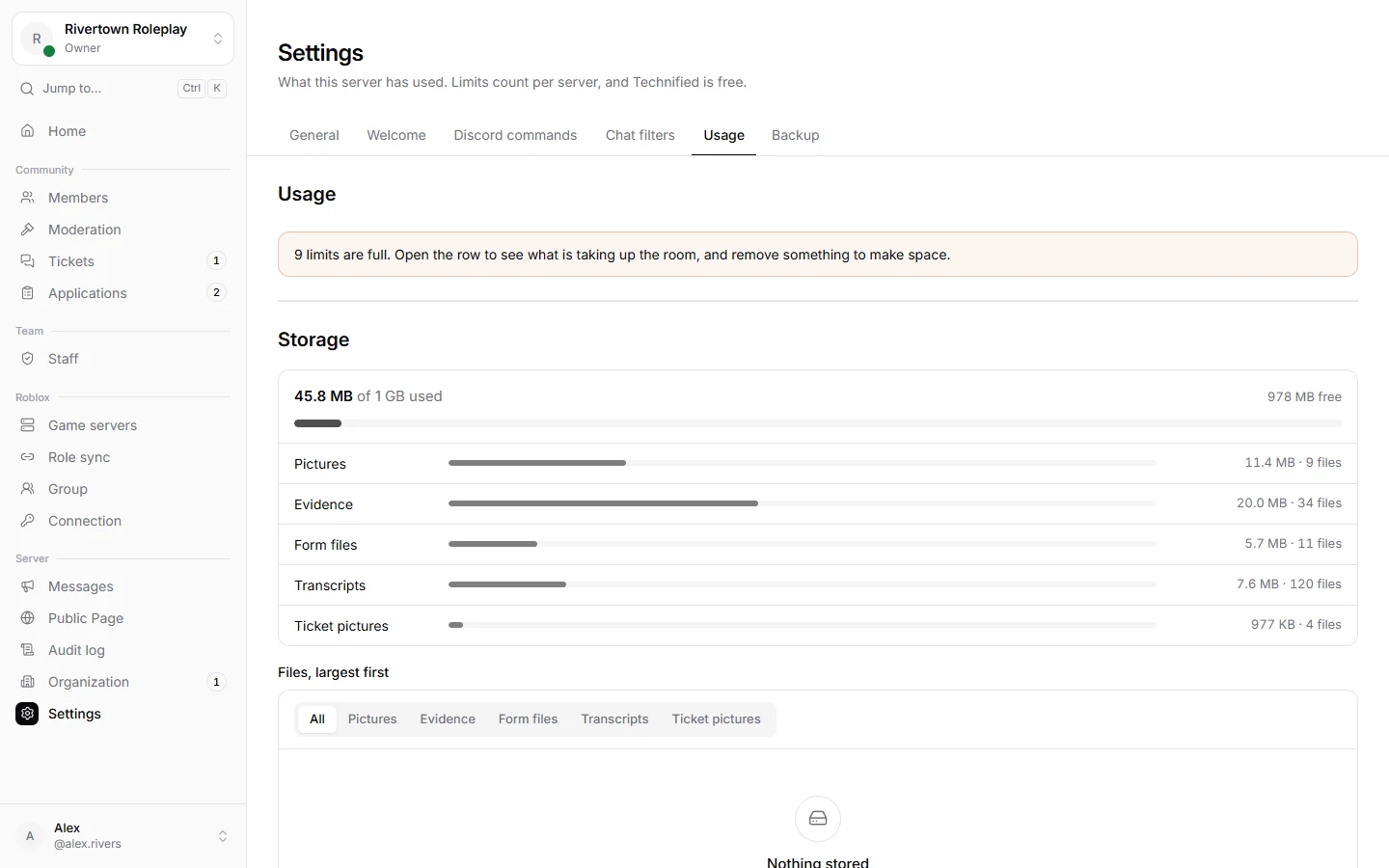
| Usage | How much of each limit your server uses. |
| Backup | Save, bring in or reset your setup. |
Usage
Technified is free. A few things have a limit per server, like forms, ticket panels, staff roles and file storage. The Usage tab shows how much you use of each.
Backups
- Download a backup: your forms, ticket panels, role rules, staff roles, templates and settings in one file. It never includes punishments, applications, tickets or members.
- Bring in a setup: apply a backup from this or another server. Only an administrator can do this.
- Start again: removes the whole setup. What people did, like punishments and tickets, stays.
- Remove from Technified: the bot leaves and nothing works there any more. Everything is deleted after 90 days; setting the server up again before then brings it all back.
Still stuck? Get help from the Technified team.